Retweeted by @hey_itsmyturn from @PawnToPromotion:
Tutorial on connecting by combining vmess/vless configs with Sifon (hybrid method) - Many are saying it works with good speed!
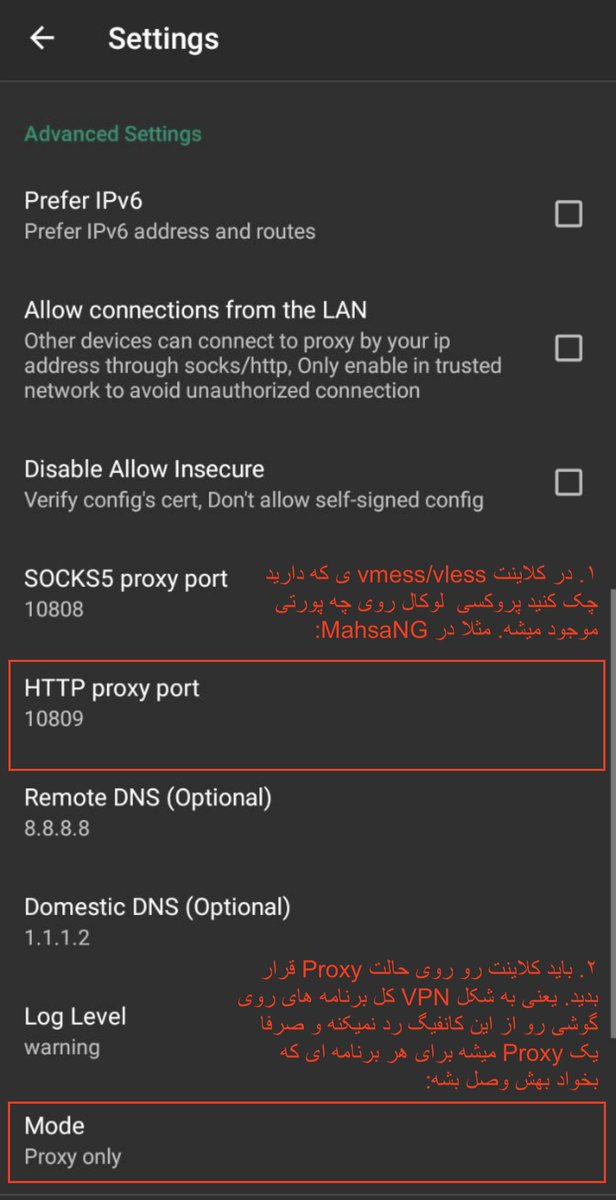
- In your vmess/vless client, check what local proxy port is used. For example, in MahsaNG the default is 10809 (first image).
- Set the vmess/vless client to 'Proxy' mode, not VPN. This means it won't route all phone apps through the config, but acts as a proxy for any app that connects to it (first image).
- Turn on the vmess/vless client.
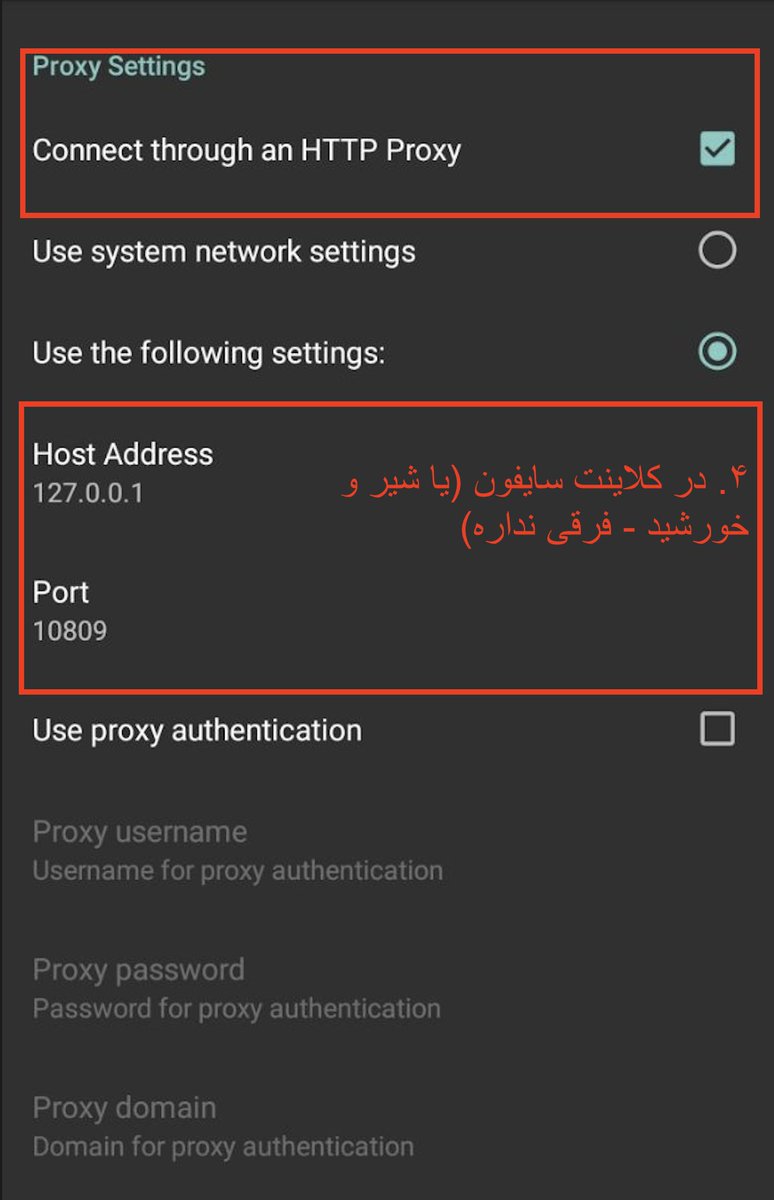
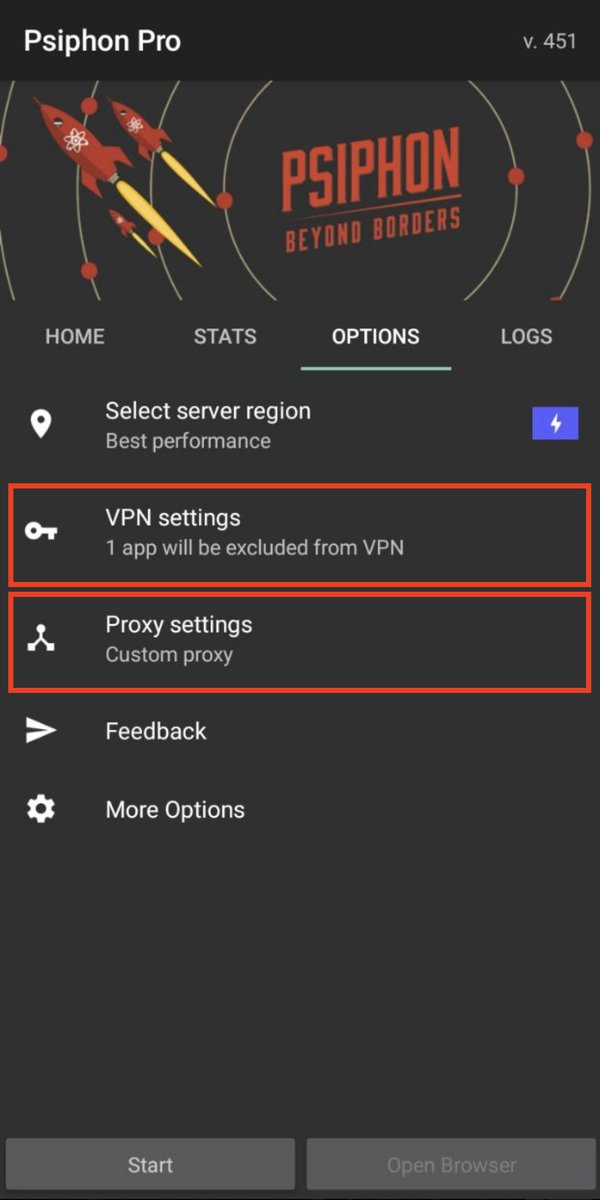
- In the Sifon client (or Shir o Khorshid - same), configure it to connect via proxy. Set Host Address to 127.0.0.1 and Port to the port from step 1 (e.g., 10809) (third image).
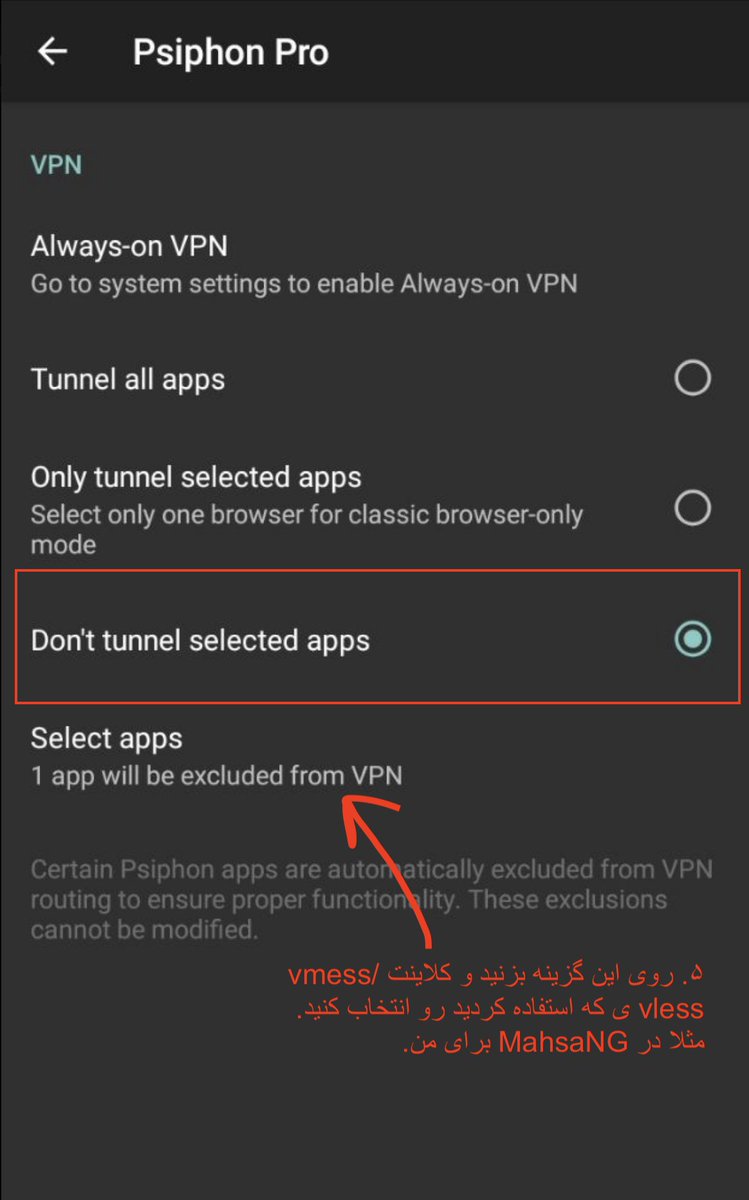
- In the Sifon client, configure so that your vmess/vless client does not pass through the Sifon tunnel (fourth image).
- Turn on the Sifon client and give it a few minutes to connect.
---
Note: Configs that you already know are active but not working anymore may work with this method. Test it and give Sifon enough time to connect.


Discussion
Comments
No approved comments yet.